
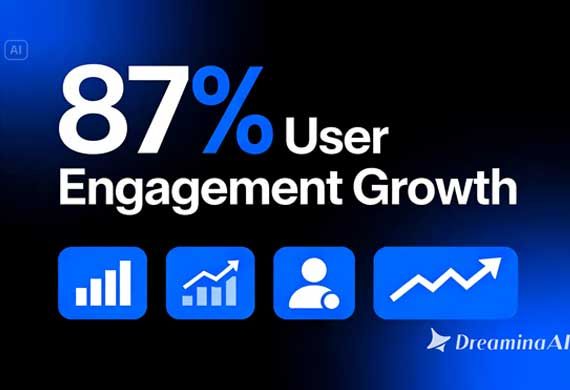

A well-designed presentation slide can communicate an idea clearly, but it still asks the audience to do the work of staying engaged while it sits there unchanged. In a world where everyone is used to scrolling past moving content, a static slide deck can start to feel like it's working against itself. This is where image to video tools become genuinely useful, turning a still slide design into a short animated moment that holds attention without losing the original message. Dreamina, powered by its most advanced video generation model, Seedance 2.5, makes that shift possible without hiring a motion designer or learning animation software.
Why static slides struggle to hold attention
Most presentation decks are built around the assumption that someone is sitting still and paying full attention, which is rarely true anymore. A slide that moves, even subtly, does some of the persuading on its own, it signals that something is happening, which naturally draws the eye back in.
That little push is what will determine whether the important data point will make an impact or fall through the cracks while someone is scrolling through their phone.
What makes a presentation animation professional
There are certain characteristics of great slide animations:
- Animation showing information in a logical order
- Minimalist rather than gaudy and distracting transition effects
- Timing that is consistent with the speed at which the material needs to be processed
- Professional styling while still keeping true to the original branding
How to animate your slide using Dreamina
Step 1: Upload your slide design and provide details about its movement
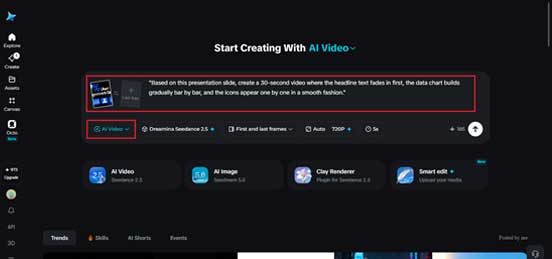
Log into your Dreamina account and select the "AI Video" tab from the left-hand menu. Click on "Add reference image" to upload your slide design and enter a description of the movement of the elements in it.
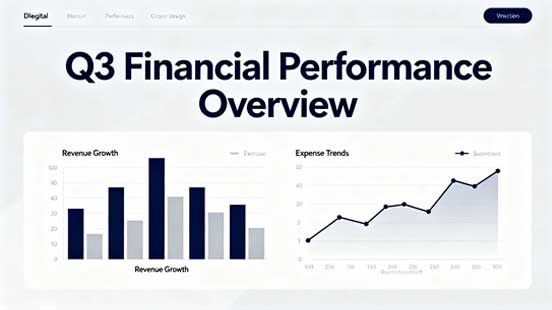
Use the following prompt: "Based on this presentation slide, create a 30-second video where the headline text fades first, the data chart builds gradually bar by bar, and the icons appear one by one in a smooth fashion."
Step 2: Generate with Seedance 2.5
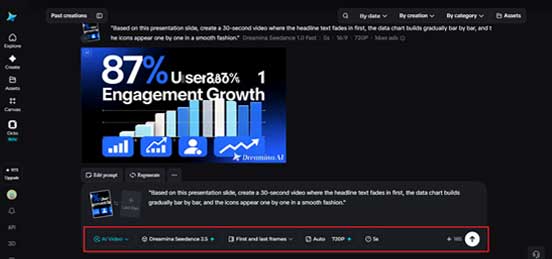
Select the Seedance 2.5 model, choose your video length, then pick an aspect ratio, 16:9 for a standard presentation screen, 9:16 if the content will also be repurposed for social. Click Dreamina's generate icon and let the slide come to motion.
Step 3: Refine and export the animated slide
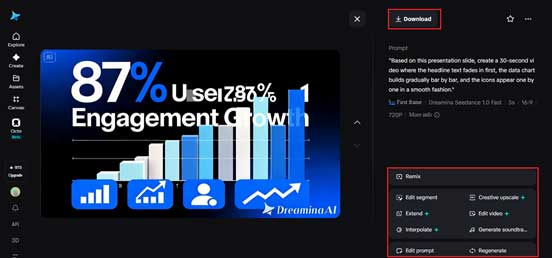
Use Dreamina's editing tools to finish the piece, Upscale for sharper text and chart detail, Generate Soundtrack for a subtle background audio layer if needed, then export and drop it directly into your presentation or deck.
What Seedance 2.5 adds to presentation content
Seedance 2.5, Dreamina's most advanced video generation model, brings a level of control that suits the precise, information-first nature of presentation design, where accuracy matters just as much as visual polish.
Precise edits to a single detail
Local editing allows one chart, number, or line of text to be updated without regenerating the whole animation, which is useful when a figure changes right before a meeting.
A complete brief in one pass
Multimodal input support means a full slide, a brand style reference, and script notes can all be fed in together, so the model has a fuller picture of what the final piece should look and feel like.
A clean, professional output
Stray subtitles and unwanted background music are removed automatically, keeping the output clean for corporate use, while reduced "AI look" keeps text and data visuals sharp rather than looking artificially rendered.
Ready for global audiences
Multilingual support makes it straightforward to localize the same deck for different regional audiences without losing clarity in translation.
Writing prompts that keep the message clear
Because presentations are information-first, prompts work best when they describe the order elements should appear in, not just that they should move. Sequencing headline, then data, then supporting detail keeps the animation useful rather than just decorative.
Choosing the right length and format
A shorter, tighter animation works well for a slide that's only on screen briefly during a live talk, while a longer version suited to Ultra-long generation makes sense for a standalone explainer clip meant to be watched independently. Matching the pace to how the slide will actually be viewed makes a noticeable difference in how effective it feels.
Reuse of a slide in various formats
An animated slide does not need to remain confined within its original presentation. It can also be edited to create social media teasers, incorporated into an email follow-up, or even stand alone as an explanation on the landing page. Making use of a single animated slide as reusable content usually helps achieve more from the same generation of content. This is especially helpful when the company wants to continue promoting a particular statistic or claim made during the initial presentation or discussion.
Common mistakes when animating slides
A few habits tend to undercut a professional result:
- Animating every element simultaneously instead of in a clear sequence
- Using motion effects that clash with the original brand's visual tone
- Making text move too quickly to actually be read
- Forgetting that a slide meant for a live talk may need a slower pace than one meant to be watched independently
Where animated presentation content gets used
This format shows up in investor decks, product launch presentations, conference keynotes, and internal training materials, where a slide that moves tends to keep an audience's attention through a section that a static version might have lost them on. It's also proven useful for repurposing a single strong slide into standalone social content long after the original talk has wrapped.
A presentation slide was always meant to make a point, motion just gives that point a better chance of landing. With Dreamina and the precision Seedance 2.5 brings to structured, information-driven visuals, a static deck can finally hold attention the way its content deserves, whether it's being presented live or watched on its own.
Current Issue

Most Viewed
- 1 Talented Indian Female Actors Who Also Moonlight as Successful Producers
- 2 7 Indian Female Podcasters You Must Know About
- 3 7 Powerful Independent Indian Women Journalists Who are Voices of Change
- 4 Ruchikaa Kapoor Sheikh: The Creative Mind Behind Netflix India's Popular Shows
- 5 7 Most Influential Women Educators India has had over the Years
- 6 11 Breakthrough Female Faces Ruling the Indian OTT Platforms
- 7 8 Timeless Female Indian Classical Dancers & their Legacy
- 8 Women's Health Startup HerMD Closing Doors Amid Industry Challenges
- 9 Real Meets Reel: A List of 11 Indian Movies based on Real Women
- 10 Rasha Hassan: A Visionary Leader On A Mission To Transform Dubai's Real Estate Landscape
- 11 5 Indian Women-led IPOs You Must Know About
- 12 11 of the Most Iconic 21st Century Women to become "The First Indian Woman"
- 13 India's 7 Funniest Women Stand-Up Comics You Must Follow
- 14 Aparna Purohit : Leading India's Most Popular OTT Platforms
- 15 How Leaders Can Balance Risk & Innovation in Today's Banking Landscape
- 16 Dr. K. Shilpi Reddy: Sculpting Healthier Futures For The Next Generation With Reforms In Obstetrics Care
- 17 Sylvia Dcosta: A Visionary Business Leader Pushing The Limits And Setting High Professional Standards
- 18 Top 5 All-Rounder Women Cricketers of India
- 19 How Tata AIA is Empowering Women with Insurance That Understands Their Needs


